Examples
Worked research recipes
Combine verified event, multimodal, AOI and visual-inspection calls into compact recipes you can adapt without skipping QC or provenance.
Run firstComplete EDA analysis bundle
Execute one checked script from input through QC, decomposition, candidate events, figures, tables and methods text.
ReproduceResearch evidence bundle
Run a checked cross-domain example that retains design, structured QC, TTL/alignment, event-locked, visual, software and reporting evidence.
AdaptAdapt an unfamiliar export
Run a checked source-to-standard mapping workflow that preserves original names, verifies schema/time/event evidence, and writes an adaptation manifest.
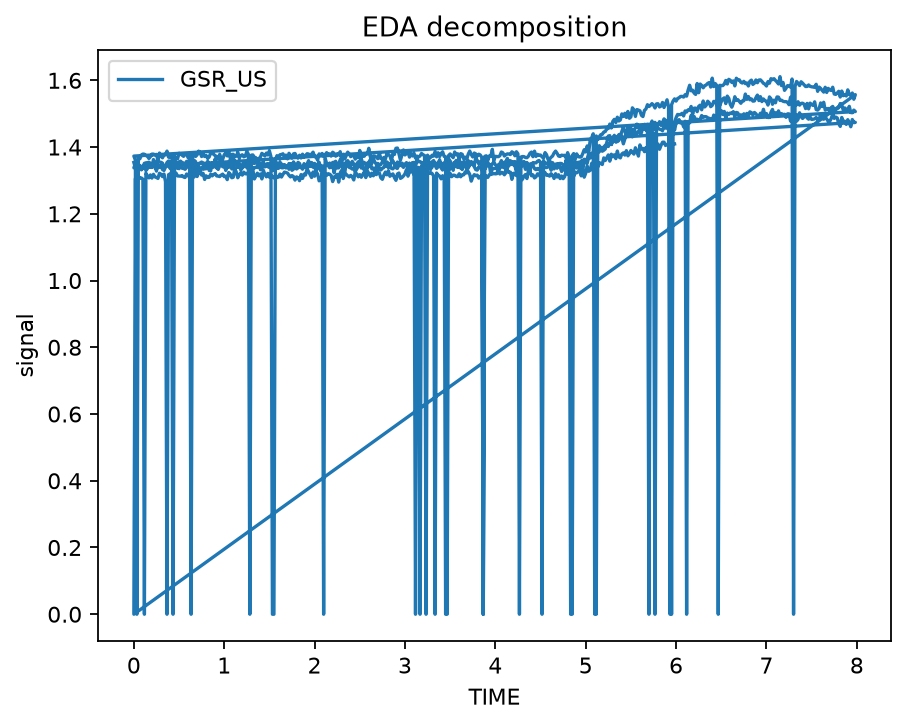
EDA / SCRConductance to response events
Inspect quality, decompose EDA, detect candidate SCRs, and retain visual diagnostics.
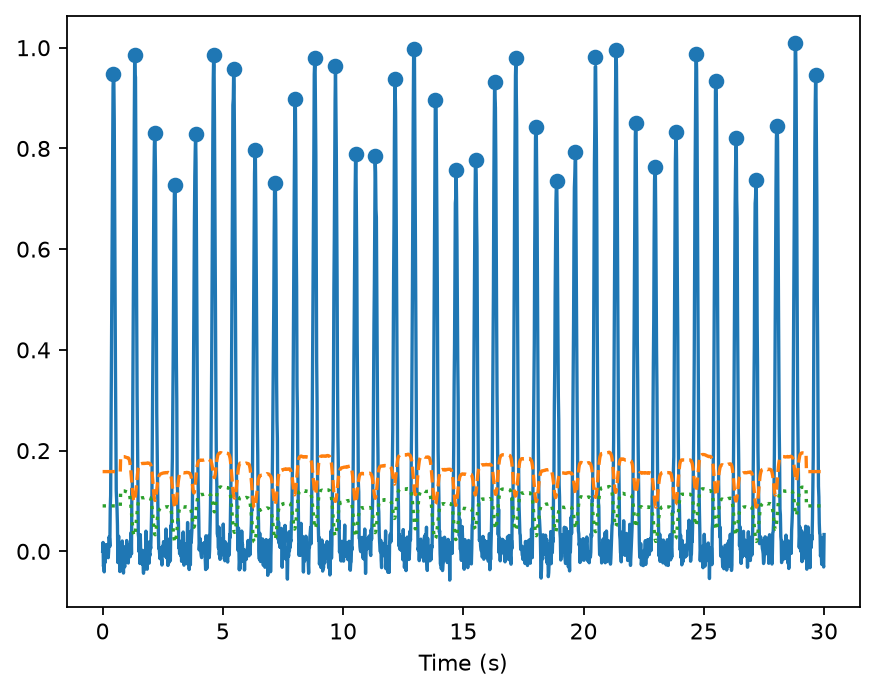
PPG / HRVWaveform to beat intervals
Detect pulse peaks, inspect RR/IBI geometry, and generate standard HRV diagnostics with source guardrails.
PPG · 0.1.8Measurement-equity known-truth audit
Keep objective pigmentation, waveform quality, paired availability and reference agreement separate, with deterministic figures and participant-cluster uncertainty.
Eye trackingPupil, gaze, AOI and saccades
Inspect pupil/gaze channels, aggregate AOI-linked measures, and use gaze diagnostics without inferring latent states.
AlignmentEvents and synchronized streams
Extract markers, audit timebases, align multimodal channels, and build event-locked summaries.
EvidenceQC and reproducible reporting
Make missingness, signal activity, timing issues, design coverage, and report-ready evidence visible.
EcosystemExternal toolbox handoffs
Prepare explicit bridges for HeartPy, pyPPG, NeuroKit, MNE, LSL/XDF, BIDS-oriented workflows, and related tools.
Choose by what you have
| Starting data | Example | Primary evidence produced |
|---|---|---|
| I want short recipes that connect several stages | Worked research recipes | event tables, event-locked summaries, AOI summaries, shared-timeline figure |
| I want one complete working analysis first | End-to-end EDA | QC, decomposition, event tables, figures, methods evidence |
| I want a reviewable cross-domain evidence folder | Research evidence bundle | design, structured QC, events/alignment, summaries, figure, software and manifest |
| I have an unfamiliar CSV/export to map | Bring your own export safely | source-to-standard map, schema/timebase evidence, TTL events, adaptation manifest |
| EDA/GSR waveform | EDA / GSR / SCR | quality, decomposition, candidate response events |
| PPG waveform or intervals | PPG / HRV | peak/interval diagnostics and HRV-ready series |
| PPG + pigmentation metadata and/or a reference measure | PPG measurement equity | provenance validation, SQIs, paired availability, agreement metrics, cluster-bootstrap uncertainty |
| Pupil/gaze/AOI columns | Pupil / gaze / AOI | missingness/validity, AOI summaries, gaze diagnostics |
| TTL/task events + signals | Multimodal | event identity, timebase/alignment evidence, event windows |
| Any completed dataset | QC + reporting | auditable QC, design coverage, figures, reporting inputs |
| External analysis ecosystem | Interoperability | explicit backend-ready structures and version-aware handoffs |
Worked research recipes
The recipes below use the same bundled demonstration and exported functions exercised elsewhere in the documentation. They are intentionally short: each recipe shows one defensible transition in the research workflow, not a claim that the returned object is scientifically interpretable without the surrounding QC and design evidence.
1. Load a bounded demonstration slice
import gpbiometricspy as gp

# Synthetic/public demonstration data only.
dat = (
    gp.load_kiosk_demo(participants=["synthetic_kiosk_p001"])
    .copy()
    .iloc[:1800]
    .reset_index(drop=True)
)
Before adapting the recipes to research data, use the bring-your-own-export guide to make the source-to-analysis mapping explicit, then use the new-dataset validation guide to confirm schema, units, signal identity, timing and provenance.
2. TTL events → event-relative physiology windows
events = gp.extract_gazepoint_ttl_events(
    dat,
    ttl_columns=["TTL0"],
    group_columns=["participant_id"],
)

aligned = gp.align_gazepoint_biometrics_to_ttl(
    dat,
    ttl_cols=["TTL0"],
    time_col="TIME",
    group_cols=["participant_id"],
    pre_window_ms=250,
    post_window_ms=500,
)
Inspect the extracted event table before treating TTL edges as task events. Event identity, duplicate/missing markers and group coverage remain part of the evidence chain.
3. Events + recorded channels → multimodal summaries
summary = gp.summarize_gazepoint_eventlocked_multimodal(
    dat,
    events=events,
    time_col="TIME",
    event_time_col="TIME",
    signal_cols=["GSR_US", "HR", "LPMM"],
    group_cols=["participant_id"],
)
This produces event-relative summaries for the requested recorded channels. Keep the event definition, baseline/summary window settings, missingness and group identifiers with the derived table.
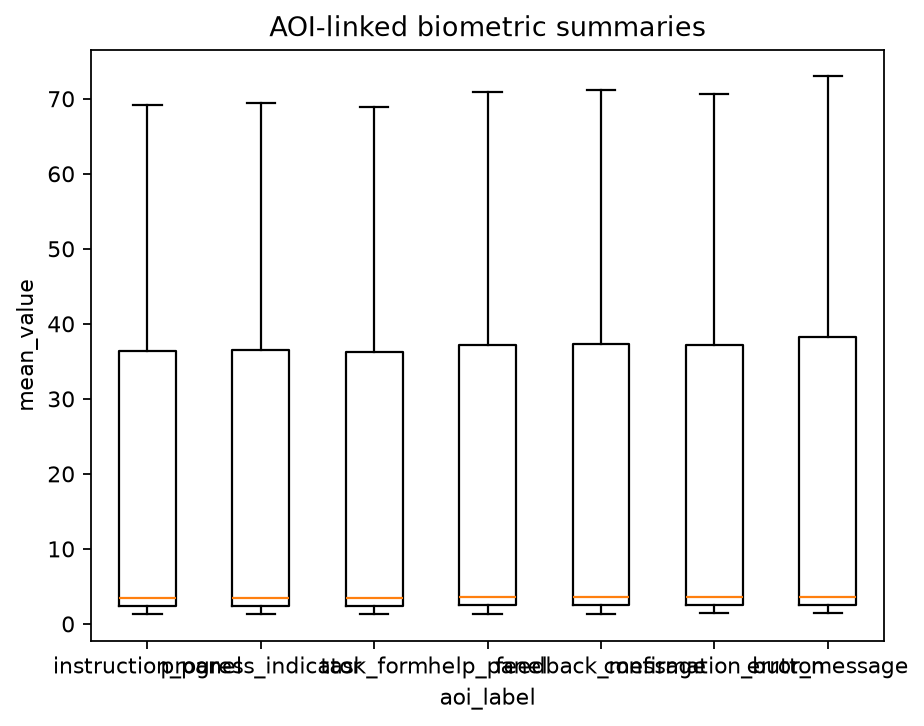
4. AOI labels → dwell summaries
AOI summaries depend on the AOI definitions, gaze-validity rules and denominator. Preserve those inputs when moving the table into modelling or reporting.
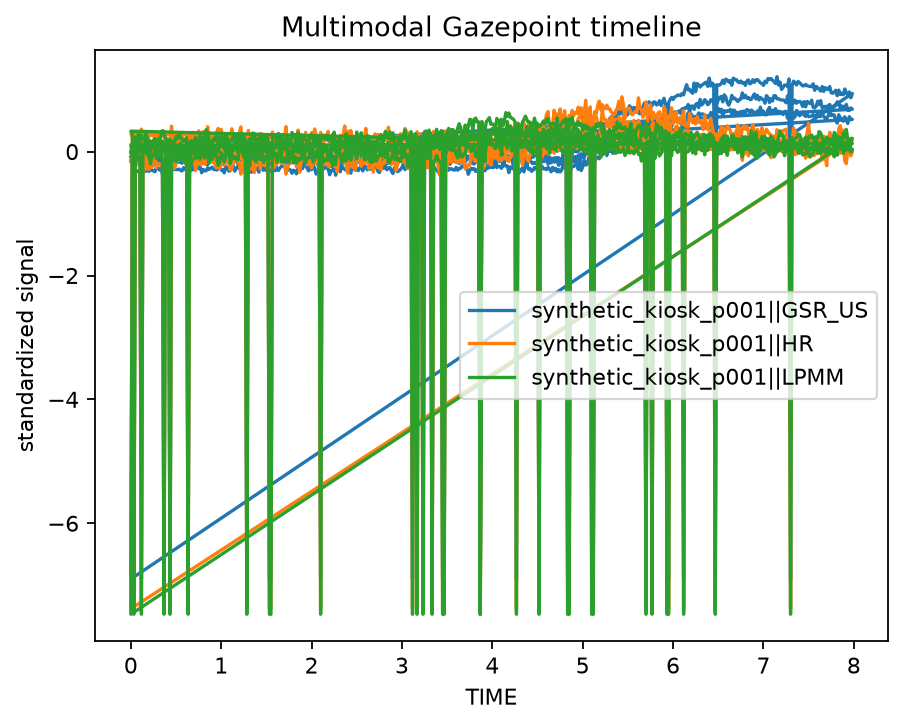
5. Recorded channels → a shared visual timeline
fig = gp.plot_gazepoint_multimodal_timeline(
    dat,
    time_col="TIME",
    signal_cols=["GSR_US", "HR", "LPMM"],
    group_cols=["participant_id"],
    title="Multimodal Gazepoint timeline",
)
What each object can support
| Object | Useful for | Inspect before reuse |
|---|---|---|
events |
event identity and coverage | marker semantics, duplicates, missing events, group coverage |
aligned |
event-relative rows/windows | clock identity, time units, window definition, overlap |
summary |
analysis-ready event/channel features | baseline/summary settings, missingness, group identifiers |
aoi |
AOI dwell summaries | AOI definitions, gaze validity, denominator and grouping |
fig |
visual temporal QC | scaling/standardisation, event markers, visible gaps and resets |
Adapt the recipes to your data
Change inputs deliberately rather than mechanically:
- preserve the original export and record the source-to-standard mapping;
- map your real time, participant/session/trial, signal and event columns;
- run QC before changing thresholds or deriving measures;
- establish clock relationships before event locking multiple streams;
- retain the settings used to produce every derived table or figure;
- move to model selection only after the analysis unit and grouping structure are explicit;
- finish with reporting and reproducibility.
Not sure which recipe belongs next?
Use the workflow chooser to start from the evidence you have and identify the next defensible stage.
Visual outputs generated in CI and deterministic examples
From example to research workflow
- Reproduce the checked end-to-end example unchanged.
- Preserve and map your source with Bring your own export safely.
- Run the new-dataset validation guide.
- Preserve QC/provenance evidence before preprocessing.
- Move to the deeper article linked from the example.
- Use the API reference only when you need exact signatures or less common options.
For a visual survey first, open the Plot gallery. For the 26 executable frozen R-companion workflows, browse Articles and tutorials. For conceptual design guidance, use the Python-native explanation articles.